How to Get Paid from PayPal with Pocket Money (US Dollars)
Guides
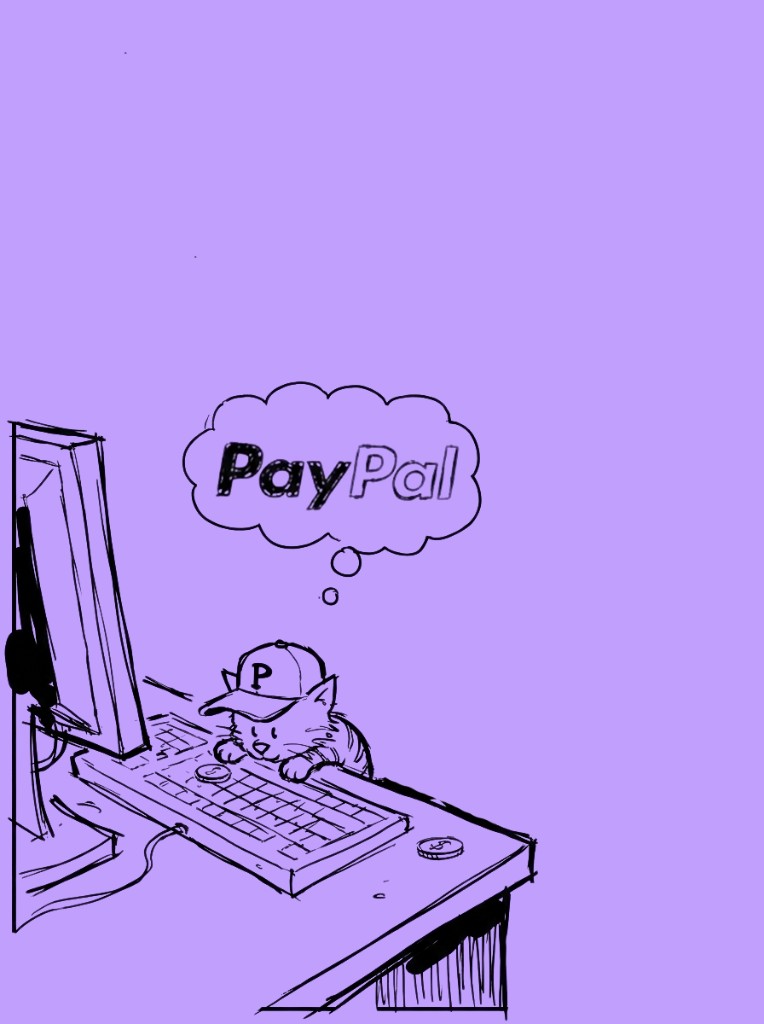
Sketch of a cat in a P cap typing at a desktop, thinking about PayPal — getting paid from PayPal with Pocket Money.

Prerequisites

  1. Sender: US PayPal individual account
  2. Recipient: Pocket Money account

Get Your Pocket Money USD Account

Once you download Pocket Money (iOS, Google Play), you’ll get:

  1. Account Number
  2. Routing Number
  3. Account Type (Checking)

Basically, everything a U.S. bank account has. Next, share the steps below with whomever is sending you US Dollars.

Step 1: Go to the PayPal Menu

You’ll find the hamburger menu at the top left of the homepage.
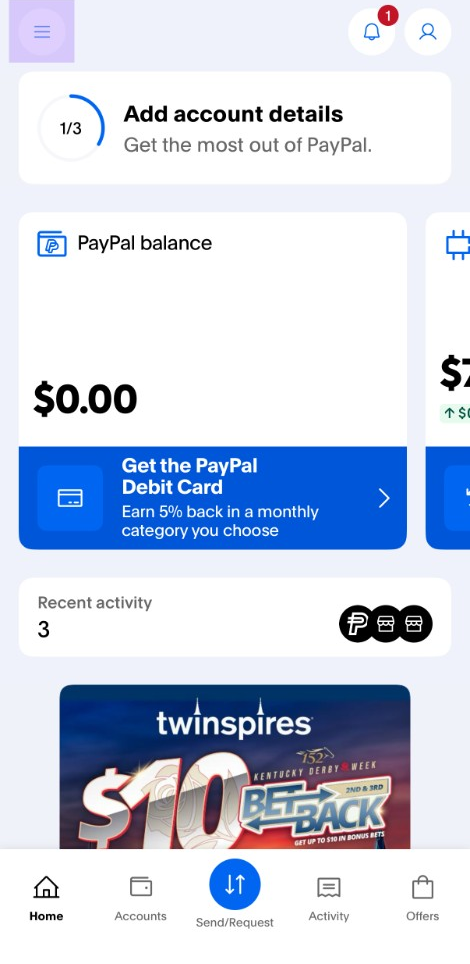
PayPal homepage on iOS with the hamburger menu in the top left

Step 2: Send to a Bank Account

Scroll down to the Send and pay options and select “Send to a bank account”.
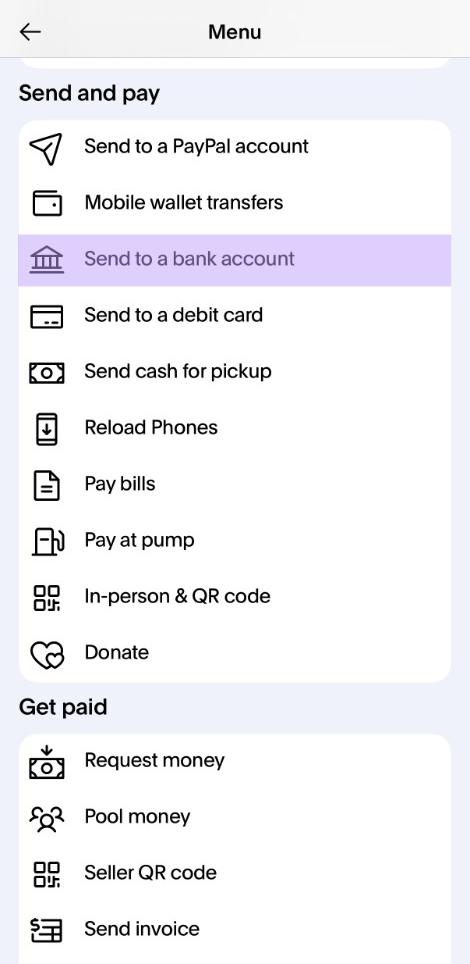
PayPal Send and pay menu with the Send to a bank account option highlighted

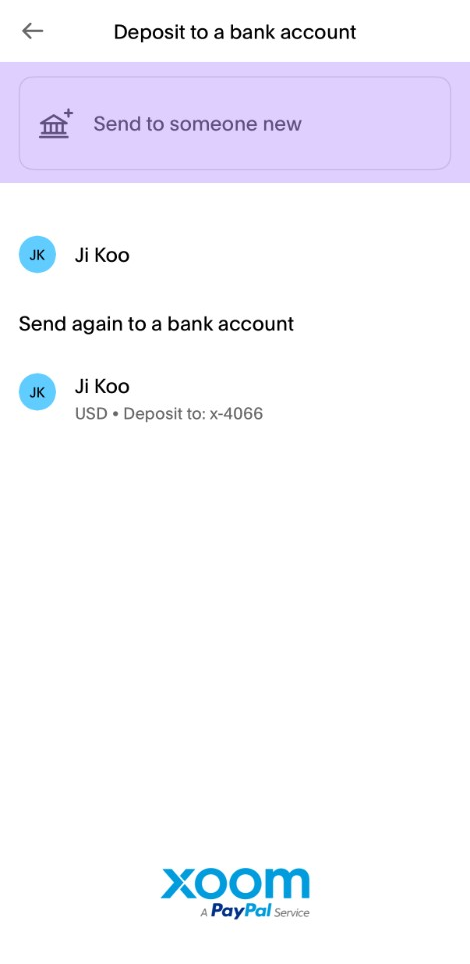
Step 3: Send to Someone New

PayPal Deposit to a bank account screen with the Send to someone new option highlighted

Step 4: Select “United States”

That’s the magic of Pocket Money — even if you’re in Pakistan, your Pocket Money account is based in the United States. Sometimes the sender may not know this.
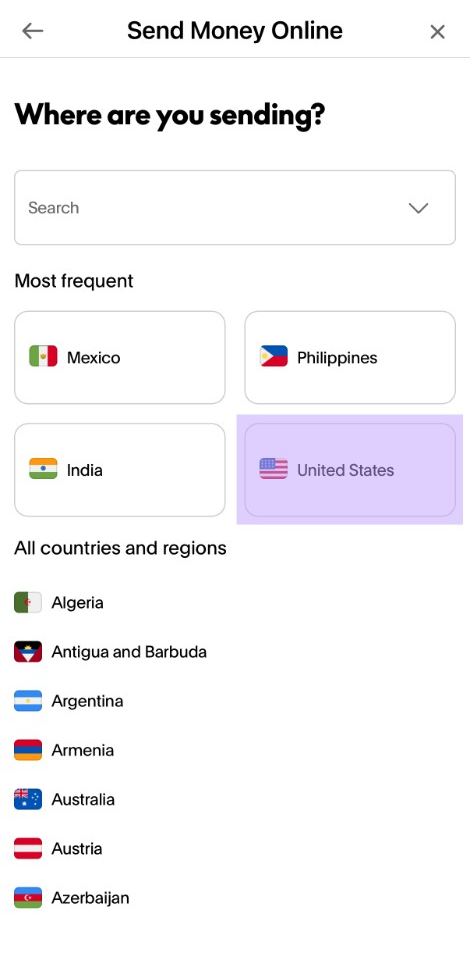
PayPal Send Money Online country selector with United States highlighted

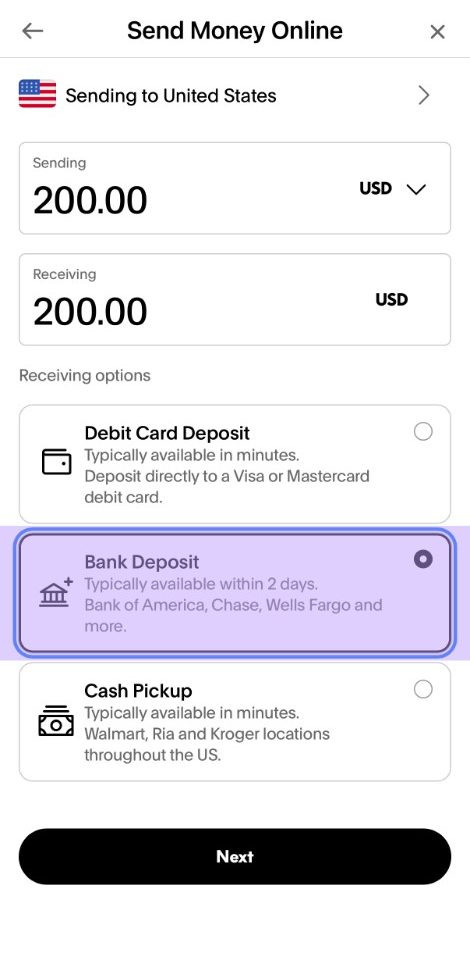
Step 5: Select Bank Deposit

PayPal Send Money Online receiving options with Bank Deposit selected

Step 6: Enter Bank Details

Enter the Pocket Money account routing number and account number details. Make sure Checking is selected.
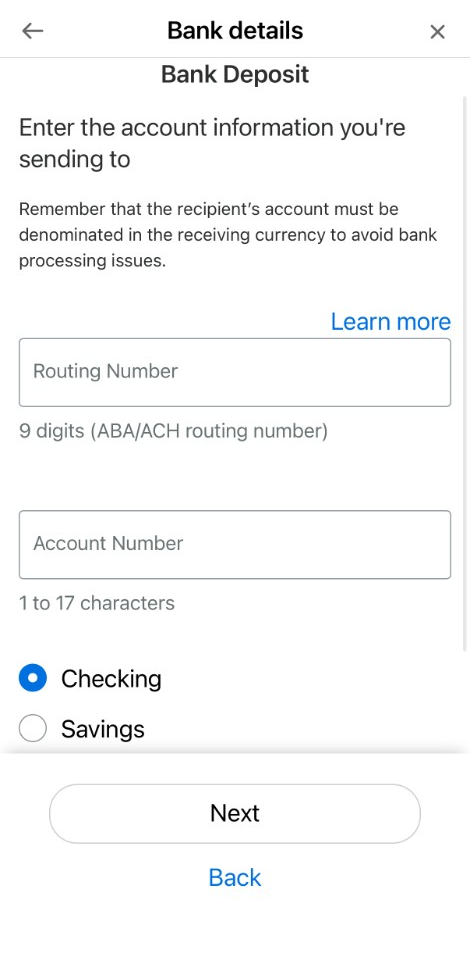
PayPal Bank Deposit form with Routing Number, Account Number, and Checking selected

Step 7: Contact Details

  1. Enter the contact information

Please note, the address is the beneficiary address found inside the Pocket Money account details.
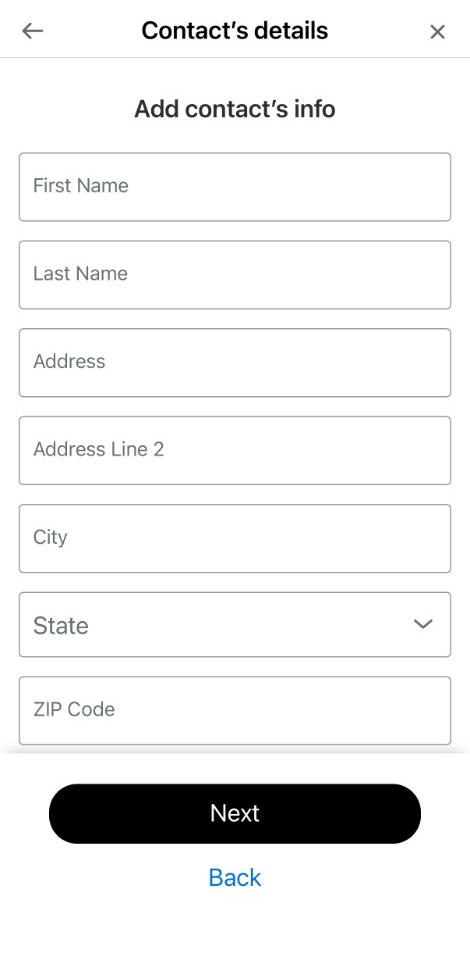
PayPal Contact's details form with name, address, city, state, and ZIP code fields

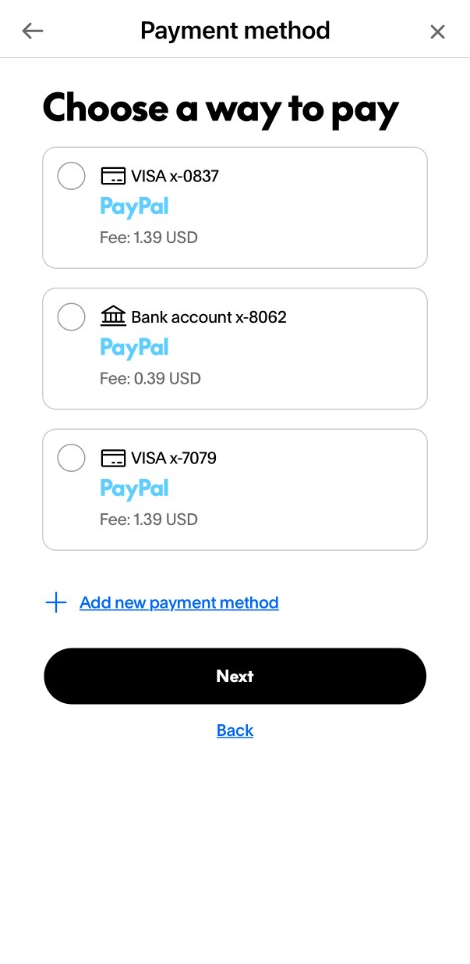
Step 8: Payment Method

  1. Choose any way you prefer to pay.
PayPal Choose a way to pay screen with Visa and bank account options

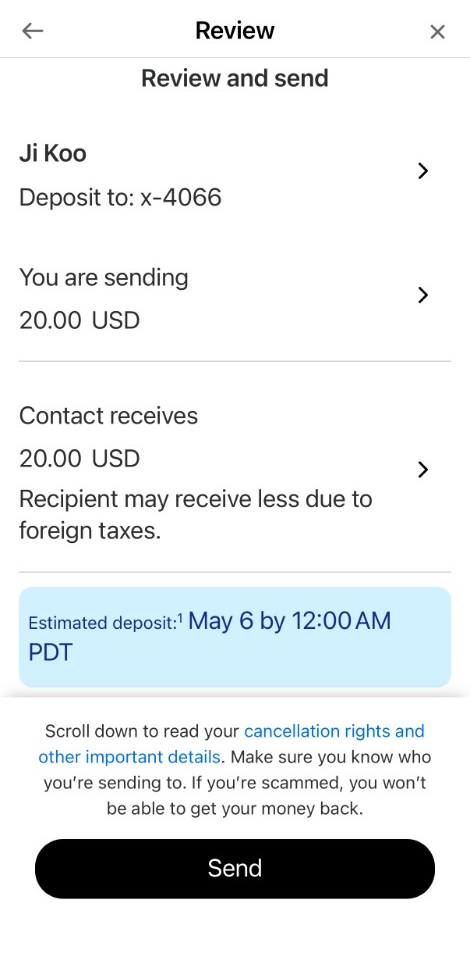
Step 9: Review and Send!

PayPal Review and send screen showing recipient, sending amount, and estimated deposit date
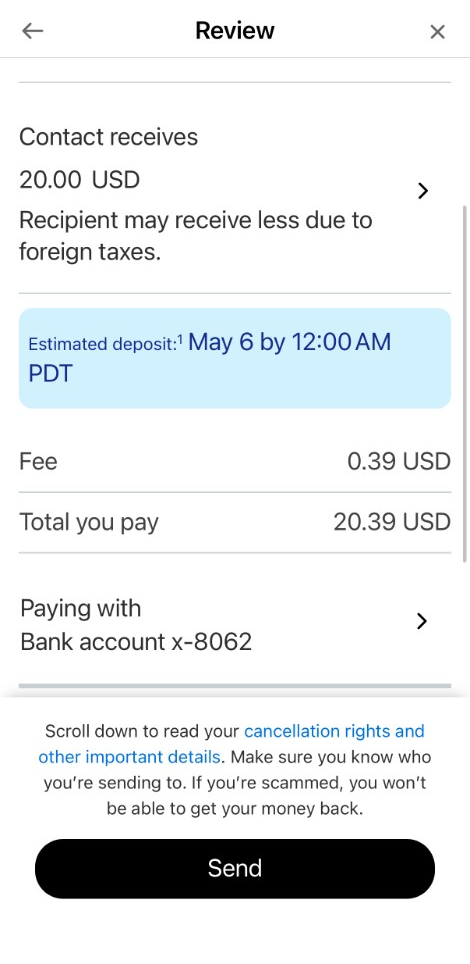
PayPal Review screen scrolled to show fee, total, and paying with bank account
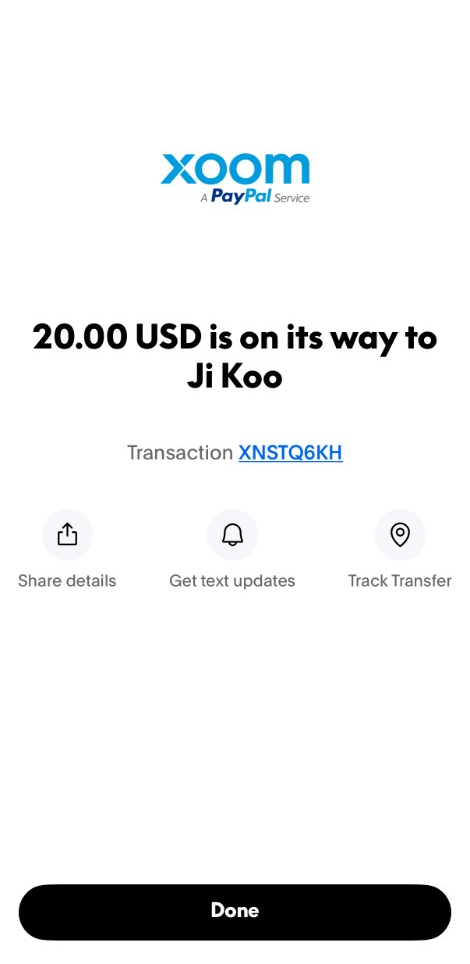
Xoom (a PayPal Service) confirmation screen showing 20.00 USD is on its way with a transaction ID

Finally — PayPal to Pakistan

Boom! All done.

Pakistani kid celebrating — that feeling when PayPal dollars finally land in your Pocket Money account

Say “Yes” to Pocket Money — iOS | Google Play

Pocket Money Financial Inc. is registered as a Money Services Business with the U.S. Department of Treasury's Financial Crimes Enforcement Network (FinCEN) for the purposes of money transmission, including international transfers, under registration number 31000309673027.

© 2026 Pocket Money Financial Inc. All rights reserved.

2261 Market Street Ste 85763, San Francisco, CA 94114