How to Get Paid from Payoneer with Pocket Money (US Dollars)

Prerequisites
- Sender: Payoneer account with a USD balance
- Recipient: Pocket Money account
Get Your Pocket Money USD Account
Once you download Pocket Money (iOS, Google Play), you’ll get:
- Account Number
- Routing Number
- Account Type (Checking)
Basically, everything a U.S. bank account has. Next, share the steps below with whomever is sending you US Dollars from Payoneer.
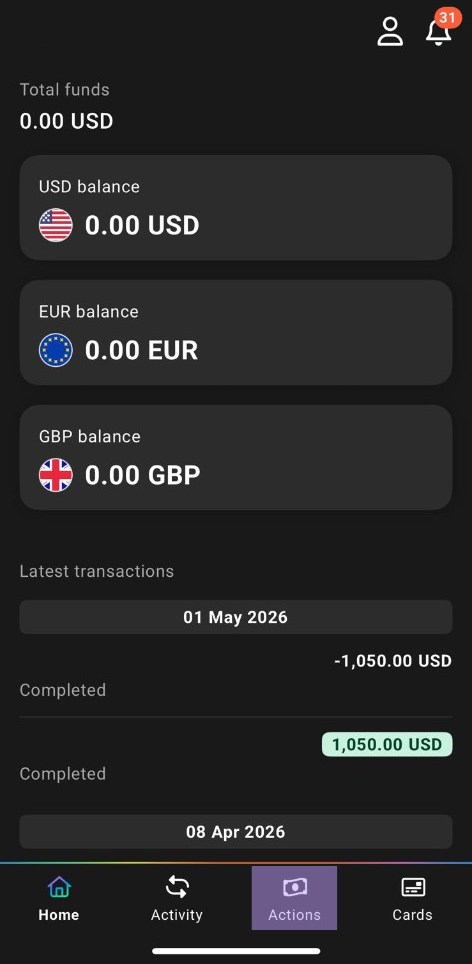
Step 1: Open the Actions Tab
Open the Payoneer app and tap Actions at the bottom.
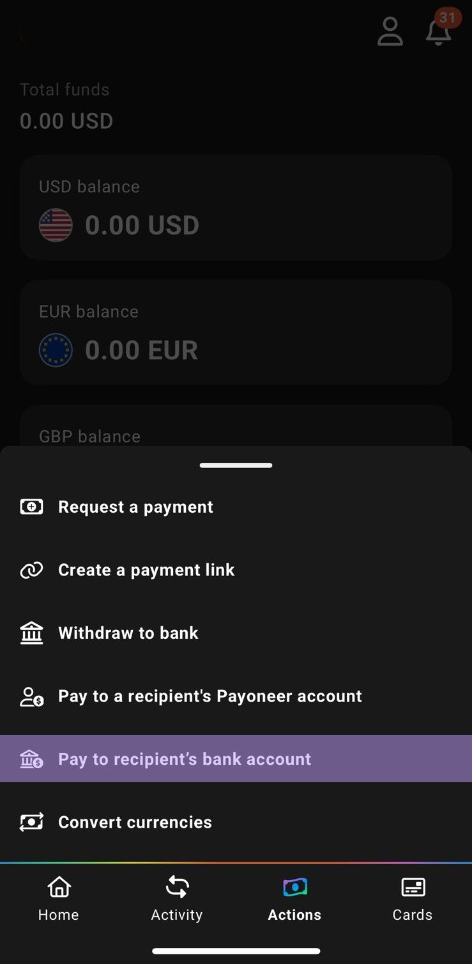
Step 2: Pay to Recipient’s Bank Account
From the Actions menu, select “Pay to recipient’s bank account”.
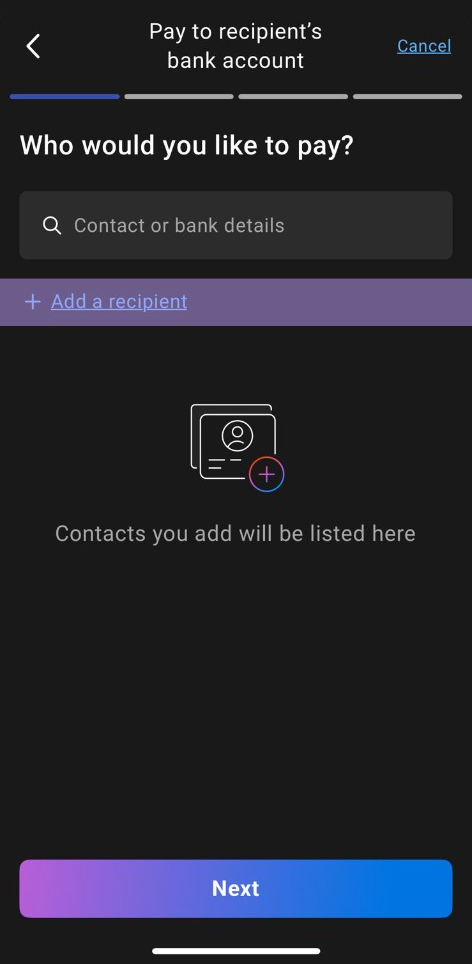
Step 3: Add a Recipient
Tap ”+ Add a recipient”.
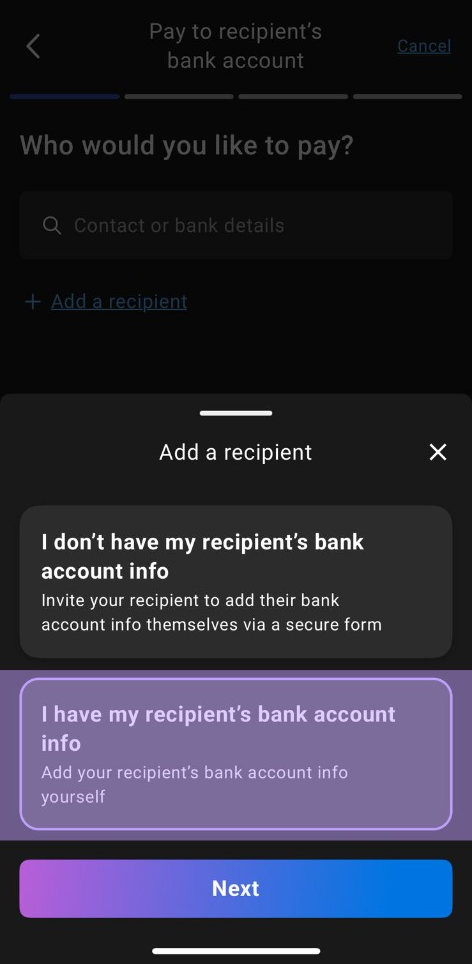
Step 4: I Have My Recipient’s Bank Account Info
Choose “I have my recipient’s bank account info” and tap Next.
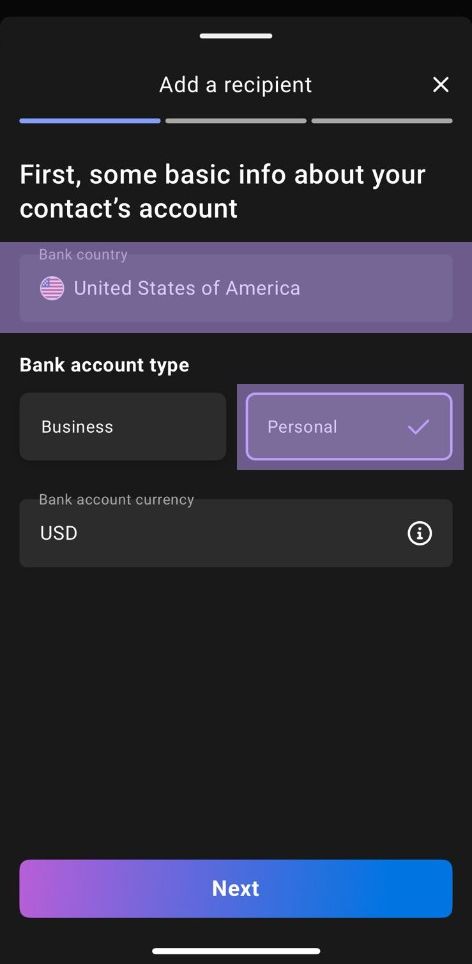
Step 5: Bank Country, Type, and Currency
Set the following:
- Bank country: United States of America
- Bank account type: Personal
- Bank account currency: USD
That’s the magic of Pocket Money — even if you’re in Pakistan, your Pocket Money account is based in the United States. Sometimes the sender may not know this.
Step 6: Enter Bank Details
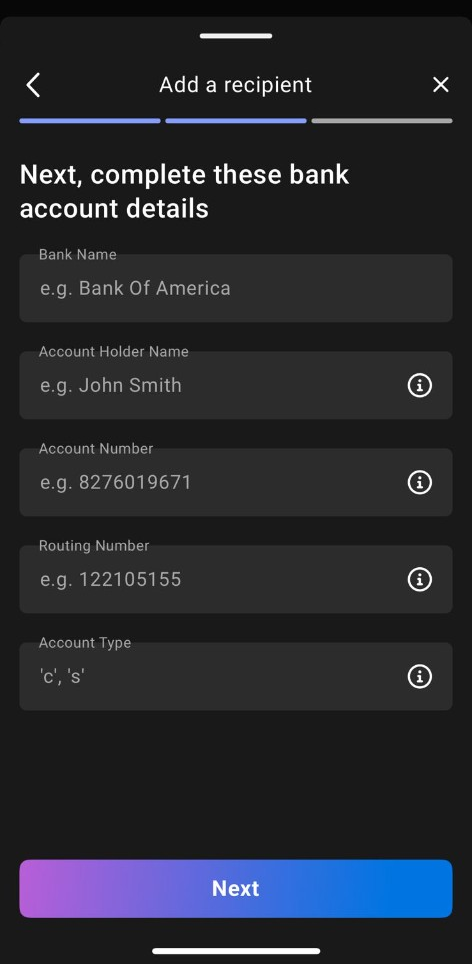
Fill in carefully using the Pocket Money account details:
- Bank Name
- Account Holder Name
- Account Number
- Routing Number
- Account Type:
c(for Checking)
Take your time here. This is not the moment to freestyle.
Let’s go! Payoneer to Pocket Money
Boom! All done. Enter the amount, review, and send.

Say “Yes” to Pocket Money — iOS | Google Play